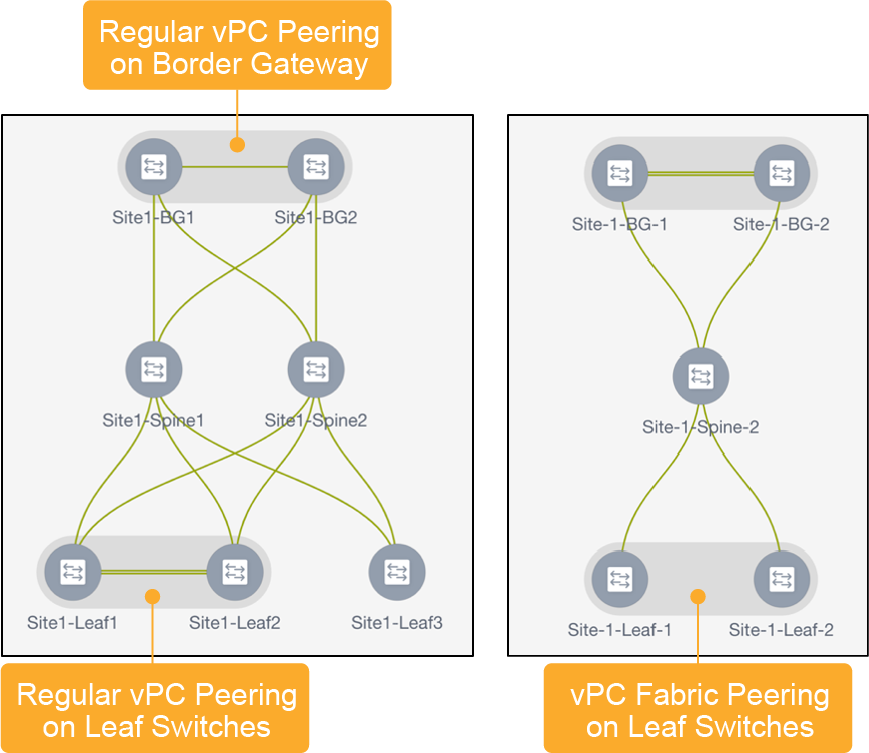
Deploy vPCs Fabric Peering
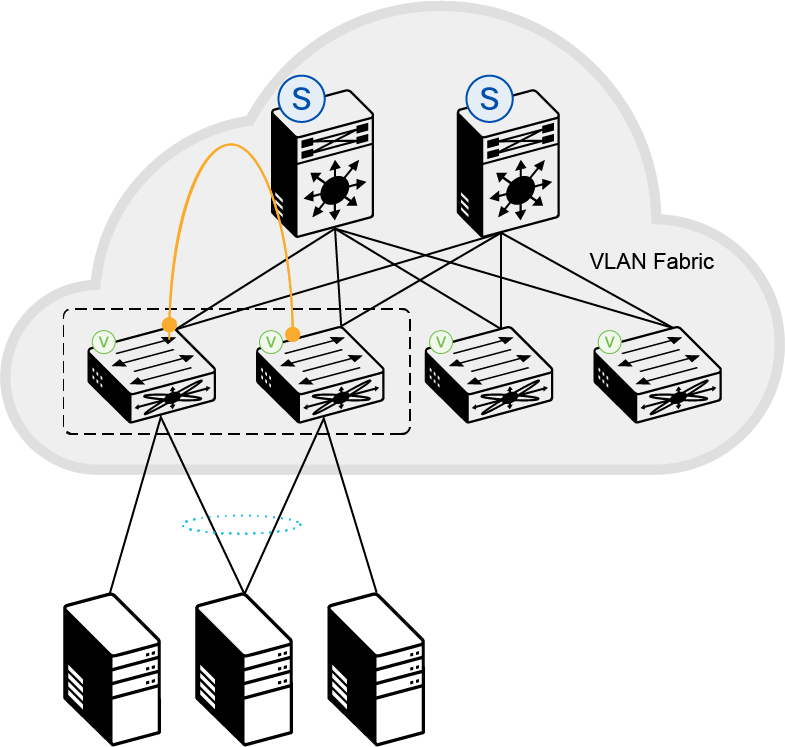
vPC fabric peering provides an enhanced dual-homing access solution without the overhead of wasted physical ports for vPC peer link. vPC fabric peering preserves all the characteristics of a traditional vPC. You can create a virtual peer link for two switches or change the existing physical peer link to a virtual peer link. Cisco NDFC supports vPC fabric peering in greenfield and brownfield deployments. The feature is applicable for Data Center VXLAN EVPN and BGP Fabric templates. The BGP Fabric does not support brownfield import.
vPC Fabric Peering Guidelines
Several guidelines can support your vPC fabric peering process.
Consider the following guidelines and limitations for vPC fabric pairing:
vPC fabric peering is supported from Cisco NX-OS Release 9.2(3).
Only Cisco Nexus N9K-C9332C switches, Cisco Nexus N9K-C9364C switches, Cisco Nexus N9K-C9348GC-FXP switches, and Cisco Nexus 9000 Series Switches ending with FX and FX2 support vPC fabric peering.
Cisco Nexus N9K-C93180YC-FX3S and N9K-C93108TC-FX3P platform switches support vPC fabric peering.
Cisco Nexus 9300-EX and 9300-FX/FXP/FX2/FX3/GX/GX2 platform switches support vPC fabric peering. Cisco Nexus 9200 and 9500 platform switches do not support vPC fabric peering.
If you use other Cisco Nexus 9000 Series Switches, a warning will appear during Recalculate and Deploy. A warning appears in this case because these switches will be supported in future releases.
If you try pairing switches that do not support vPC fabric peering, using the Use Virtual Peer Link option, a warning will appear when you deploy the fabric.
You can convert a physical peer link to a virtual peer link and vice versa with or without overlays.
Switches with border gateway leaf roles do not support vPC fabric peering.
vPC fabric peering is not supported for Cisco Nexus 9000 Series Modular Chassis and Fabric Extenders (FEXs). An error appears during Recalculate and Deploy if you try to pair any of these.
Brownfield deployments and greenfield deployments support vPC fabric peering in Cisco NDFC.
However, you can import switches that are connected using physical peer links and convert the physical peer links to virtual peer links after Recalculate and Deploy. To update a ternary content-addressable memory (TCAM) region during the feature configuration, use the hardware access-list tcam ingress-flow redirect 512 command in the configuration terminal.
Create vPC Pairing
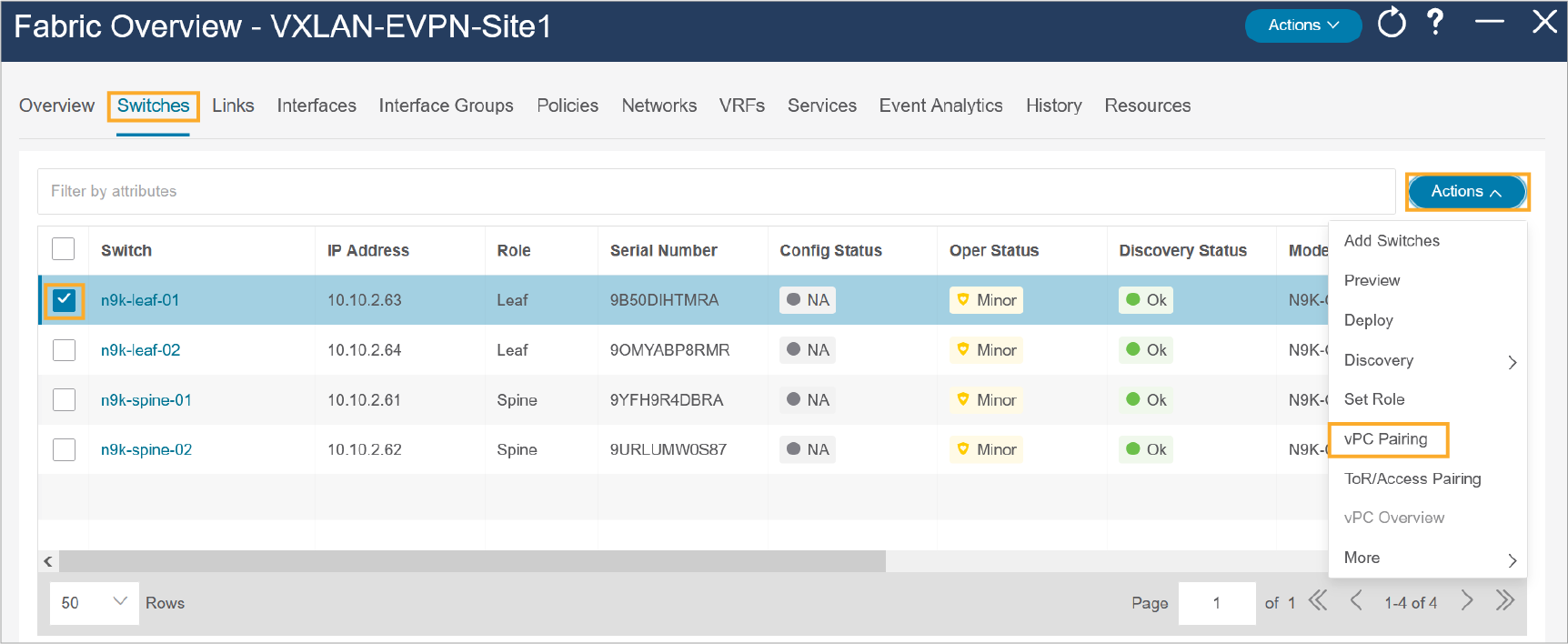
To create a vPC pairing from the Cisco NDFC GUI, perform the following steps:
Choose LAN > Fabrics.
Double-click a fabric with the Data Center VXLAN EVPN fabric template.
Click the Switches tab and select a switch.
Click Actions and choose vPC Pairing from the drop-down list.
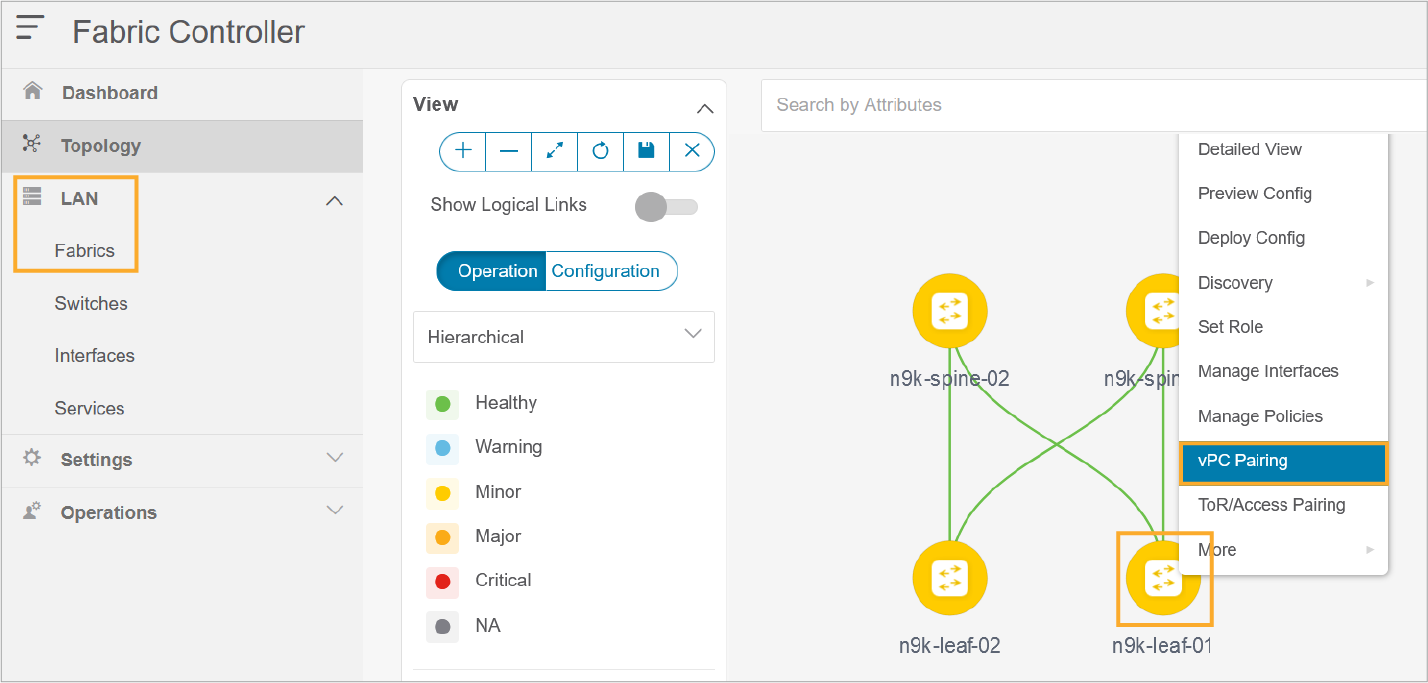
Another way to create a vPC pairing from the Cisco NDFC GUI is the following:
Choose Topology.
Double-click your chosen fabric.
Right-click a switch and choose vPC Pairing from the drop-down list.
Regular and Fabric vPC Peering Options
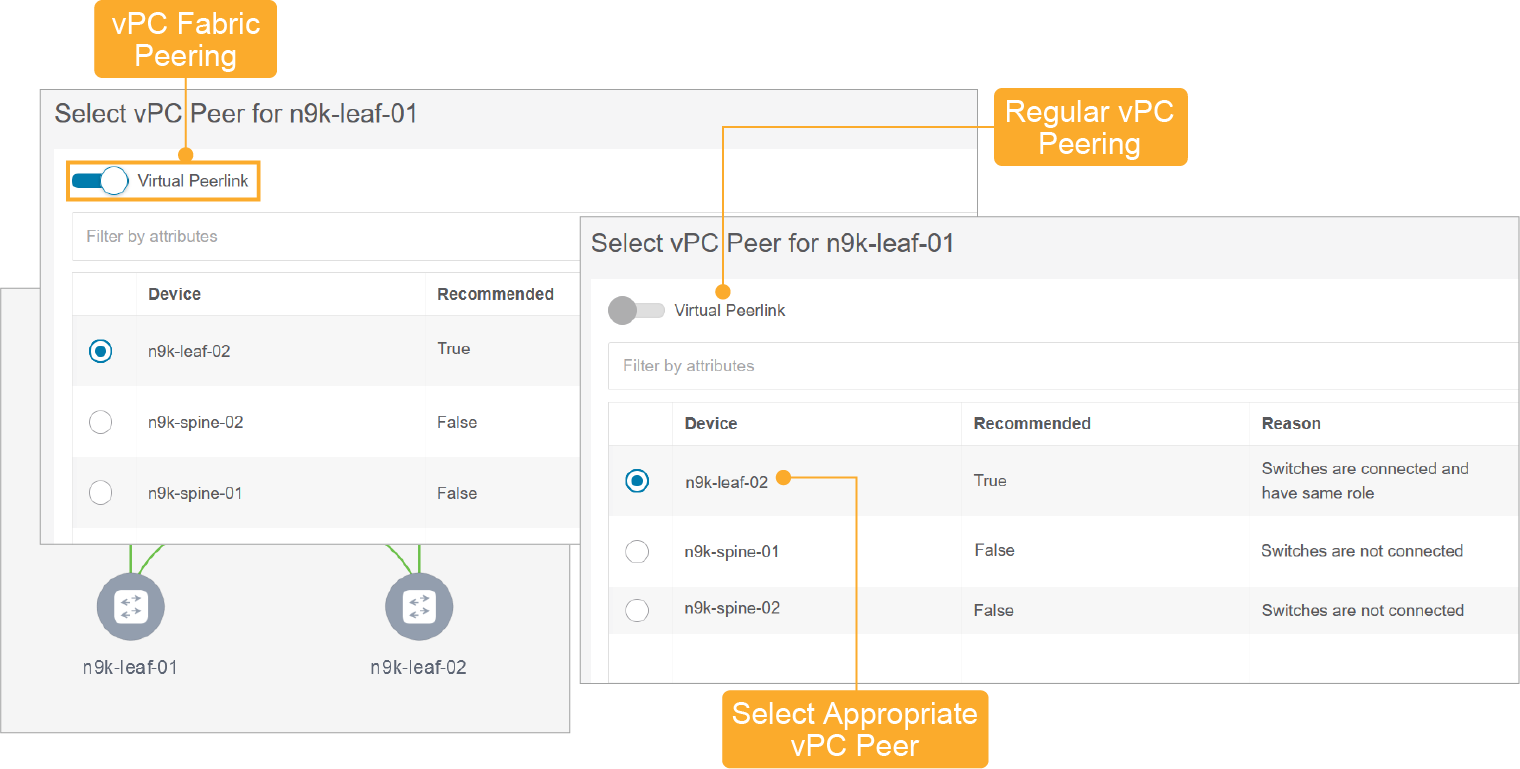
The vPC Configuration Wizard opens and offers both regular and fabric vPC peering options.
To configure the vPC fabric peering, complete the following steps:
Move the slider to enable the Virtual Peerlink option.
Choose a peer switch and check the Recommended column to confirm the possibility of pairing.
If the value is true, pairing is possible. You can pair switches even if the recommendation is false. However, you will receive a warning or error during Recalculate and Deploy.
Click Save.
To continue with the configuration, follow these steps:
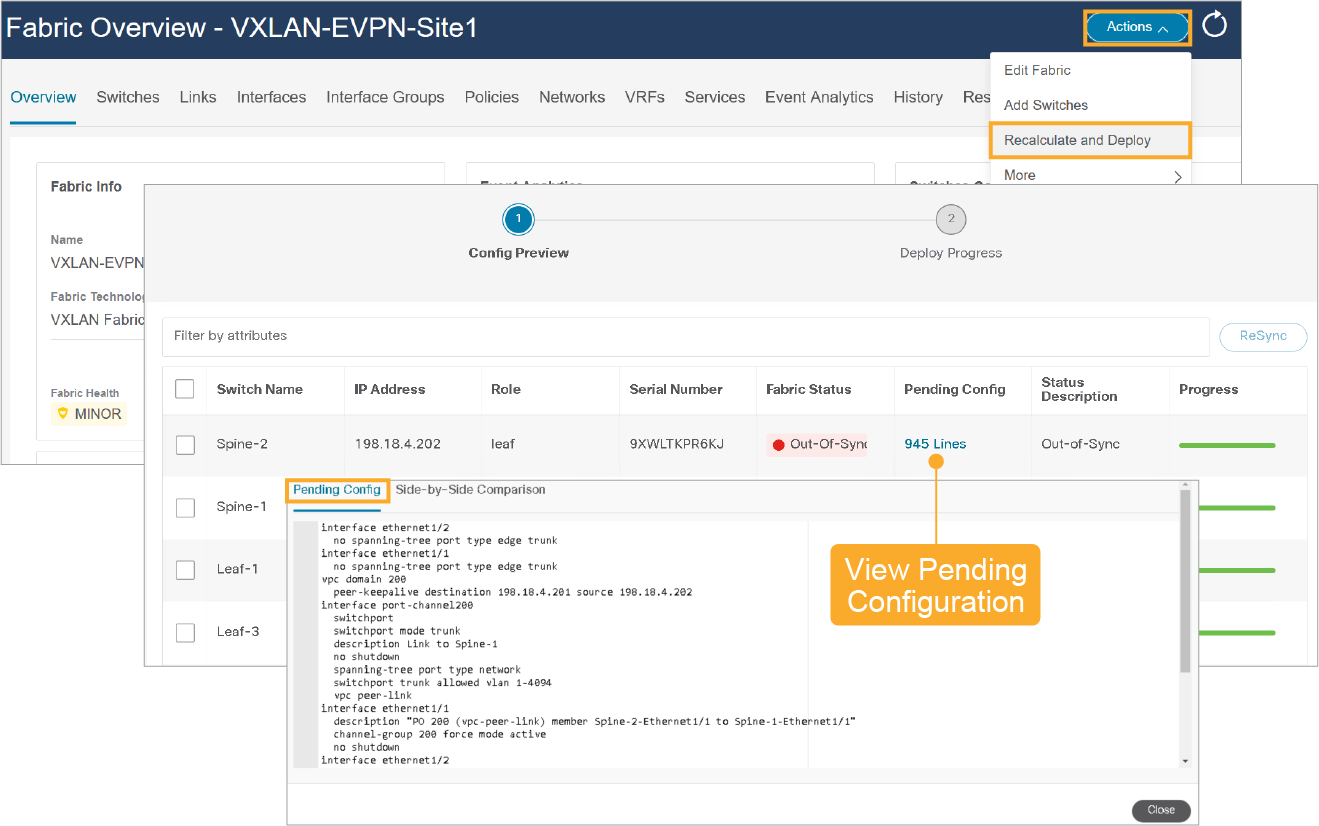
In the Fabric Overview window, click Actions > Recalculate and Deploy.
Click the field against the switch in the Pending Config column.
View the vPC link details in the pending configuration and the side-by-side configuration.
Close the window.
Click Deploy.
The switches that you connected through vPC fabric peering display in a gray cloud enclosure.