Configuration Policy
Cisco NDFC lets you group a set of switches and push a set of underlay configurations to that group. Then you can create and apply a policy template to multiple switches.
The Policy template implements the configuration policy, which it then executes on the fabric.
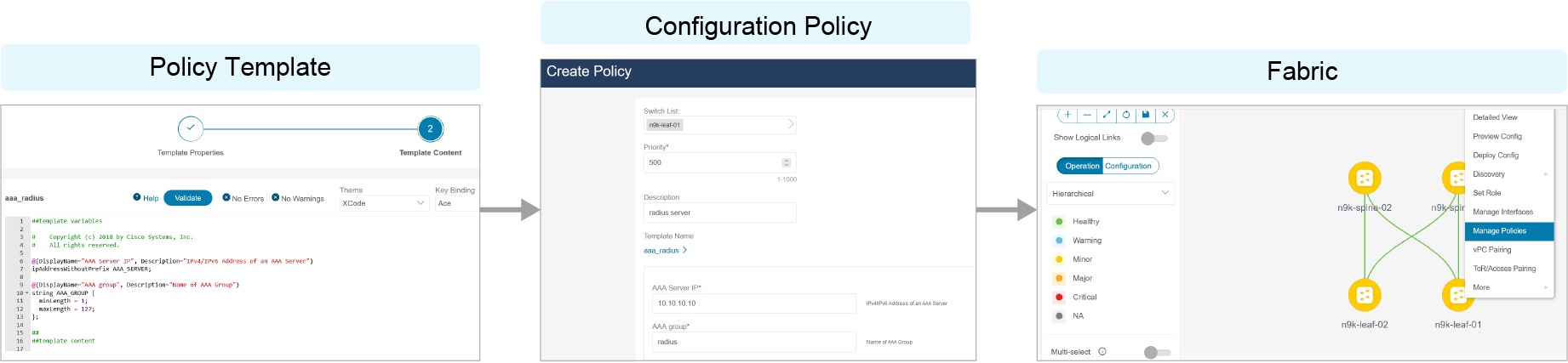
Policy templates use the CLI or PYTHON template content type. Policy templates that use the CLI content type basically are parameterized CLI templates. They can accommodate multiple variables and CLIs. Policy templates that use the CLI content type are usually small and lack any constructs such as if-else-for.
Policy templates that use the PYTHON template content type enable the combination of multiple CLI policy templates with a common source so that everything can apply or unapply simultaneously. For example, you must create a new vPC host port symmetrically on both peers that are part of the vPC pair. You must also create a port channel, member interfaces, a channel group, and other elements. The new PYTHON vPC host policy template streamlines this process.
Each policy template contains a template subtype such as DEVICE or INTERFACE. Subtypes ensure that the correct policy template appears at each selection point.
Also, you can right-click a device and choose Manage Policies from the Topology pane in Cisco NDFC.
View, Edit, and Add Policies
Use the Fabric Overview window and then the Policies tab to view, add, edit, and deploy policies for devices in the fabric.
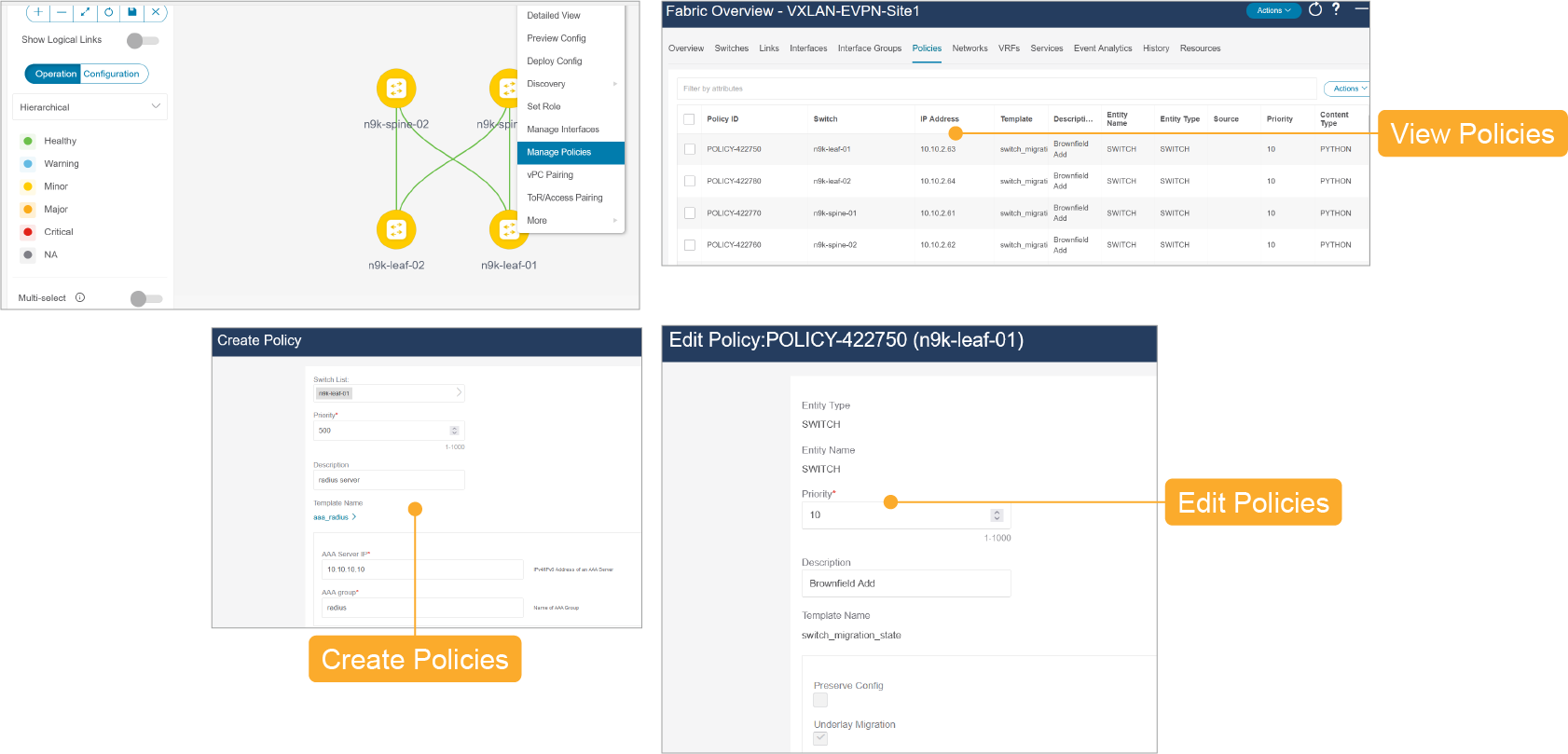
After creating a policy, you may need to edit it. Choose the newly added policy from the Fabric Overview > Policies window and click Edit to edit the configuration. When the new configuration looks good, click the Push Config button to push the new configuration to the device.